


UAE Visa Status Check by Passport Number: ICP vs GDRFA (Dubai Guide 2026)
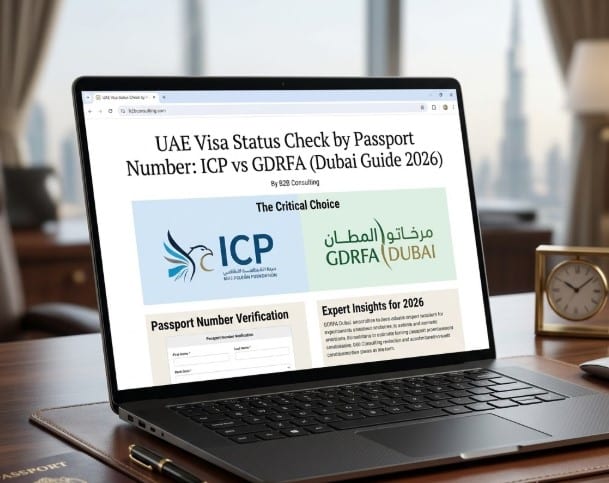
Yes – you can check a UAE visa status using only a passport number, for free, through official government portals. You don’t need a copy of the visa, an Emirates ID, or a paid service. The check takes a couple of minutes, but there’s one catch that trips up most people: the UAE runs on a two-track immigration system, and the portal you use depends entirely on where the visa was issued.
The rule is simple. If the visa was issued in Dubai, you check it through GDRFA Dubai. If it was issued in any of the other six emirates — Abu Dhabi, Sharjah, Ajman, Umm Al Quwain, Ras Al Khaimah or Fujairah — you check it through ICP Smart Services. Put your passport number into the wrong portal and the system won’t tell you that you’ve made a mistake. It will simply return “no record found,” which sends a lot of people into an unnecessary panic, thinking their visa was cancelled when it’s perfectly valid.
This guide walks through both portals step by step, shows you exactly which details each one needs, explains the difference between the passport number, application number, unified number and file number, and tells you what to do when the search comes back empty.
ICP vs GDRFA: Which Portal Is Yours?
Before you check anything, confirm one thing: the issuing authority. Not the visa number, not the dates — the authority. This single detail decides whether your search works or returns nothing.
The two portals are completely separate systems. Different websites, different databases, different teams behind them. Knowing your way around one doesn’t help you with the other, and there is no shared search that covers both at once. So the first question is always the same: was this visa issued in Dubai, or somewhere else in the UAE?
Here’s how the two break down for a passport-number check:
| Situation | ICP Smart Services | GDRFA Dubai |
|---|---|---|
| Covers | Abu Dhabi, Sharjah, Ajman, Umm Al Quwain, Ras Al Khaimah, Fujairah | Dubai only |
| Official website | smartservices.icp.gov.ae | gdrfad.gov.ae |
| What you enter | Passport number, nationality, passport expiry, date of birth | Passport number, nationality |
| Mobile app | ICP UAE Smart App | GDRFA Dubai app / DubaiNow |
| Best for | Visas and residency outside Dubai | Dubai visit and residence visas |
The logic is straightforward: ICP is the federal authority covering identity, residency and visas across most of the country, while GDRFA handles everything visa-related inside Dubai. If you’re checking a Dubai visa on ICP, or an Abu Dhabi visa on GDRFA, the result will be empty — even though nothing is actually wrong with the visa.
If you’re not sure which emirate issued the visa, look at the visa sticker or the entry permit document. The issuing authority is printed there. For anyone who wants the full picture of everything the federal portal can do beyond visa checks — Emirates ID, residency files, application tracking — we cover that separately in our complete ICP Smart Services guide.

How to Check a Dubai Visa by Passport Number (GDRFA)
If your visa was issued in Dubai, GDRFA is where you check it. There are two ways to do this — the website and the mobile app — and both give the same result. For most people the app is faster, but let’s start with the website since it works on any device.
To check through the GDRFA website, open gdrfad.gov.ae and go to the Public Services section. Look for the visa validity or status inquiry service, then choose to search by passport number. You’ll need to enter your passport number exactly as it appears in the document, select your nationality, and complete the captcha. Hit search, and the system returns your visa status, file number and validity dates.
The app route is even quicker. Download the GDRFA Dubai app from the App Store or Google Play — it’s free, and you don’t need to create an account just to check a status. The same check is also available inside DubaiNow, the city’s all-in-one government app. Either one gives you real-time results in under ten seconds, which makes it the most practical option when you’re standing at the airport and need confirmation fast.
A few things to keep in mind while you do this. The passport number has to match the document exactly — one wrong digit and the system returns nothing. Nationality matters too, because the portal cross-references it against the passport. And if the visa is still being processed and hasn’t yet been submitted to immigration, it may not appear at all, regardless of how carefully you enter everything.
One small but important point: a status of “valid” confirms that your residency is active. It does not confirm that there are no travel bans or other holds against you, since those sit in a separate system. We’ll come back to what each status actually means further down.
Related Article: Dubai Free Zone Visas: Exploring the 4 Key Types
How to Check a Non-Dubai Visa by Passport Number (ICP)
If the visa was issued anywhere outside Dubai, ICP Smart Services is your portal. The process is similar in spirit to GDRFA, but ICP asks for a little more information to confirm your identity, so have a few extra details ready before you start.
Open the File Validity service at smartservices.icp.gov.ae. The portal first asks how you want to search — choose the passport information option rather than file number. Next, you’ll be asked whether you’re checking a residence visa or a visit visa: pick “residency” for a residence visa and “visa” for a visit or entry permit. Getting this choice right matters, because selecting the wrong type can return an empty result even when everything else is correct.
Once you’re on the right service, ICP asks for four details — more than GDRFA, so check each one carefully against your document:
- – Passport number — exactly as printed, no spaces
- – Passport expiry date — as it appears in the document
- – Nationality — the portal cross-references this against the passport
- – Date of birth
Complete the captcha and search. The system then returns your file number, unified (UID) number, file status, and the issuance and expiry dates of the visa.
If you have a UAE Pass digital identity, you can log in with it for a smoother experience and access to a wider set of services in one place. It isn’t required just to check a status, but it saves time if you deal with government portals regularly.
That covers the passport-number check specifically. ICP does far more than this — Emirates ID status, residency files, application tracking, sponsored-individual records — but those sit outside the scope of a quick visa check. If you want the full walkthrough of everything the federal portal handles, that’s covered in our dedicated ICP guide.
Related Article: UAE Pass Guide: How to Register & Use the Digital ID
Passport Number, Application Number, Unified Number, File Number — What’s the Difference?
This is where a lot of confusion starts. People use these terms as if they’re interchangeable, then wonder why a search fails. They’re four different identifiers, each tied to a different part of your immigration record, and knowing which is which saves you from a lot of “no record found” frustration.
Here’s how they compare:
| Identifier | What it is | Where to find it | Used for |
|---|---|---|---|
| Passport number | The number on your travel document | Inside your passport | The basic check — works on both ICP and GDRFA, no visa copy needed |
| Application / reference number | A tracking number for a submission in progress | On the receipt or confirmation from when the visa was applied for | Following an application that’s still being processed |
| Unified (UID) number | A permanent immigration ID tied to you as a person, not to one visa | On the visa sticker or residence permit | An alternative to the passport number, useful after a passport renewal |
| File number | The number of the specific visa or residency file | On the visa sticker or the e-visa you received | Searching a particular file directly |
The practical takeaways are worth spelling out. The passport number is the easiest entry point and the one most people use — it needs nothing extra. The application number is different in nature: it tracks a visa that hasn’t been issued yet, so if your visa is still in process, this is the number that shows movement, not the passport.
The unified number is the one that quietly saves you after a passport renewal. Because it’s tied to you rather than to a single document, it keeps working even when your passport number changes — which is exactly the situation where a passport-based search often comes back empty. If you’ve recently renewed your passport and the system can’t find your record, the UID number is usually the fix.
What You Need Before You Start (and Why One Wrong Digit Returns Nothing)
A status check is only as good as the details you put in. These portals don’t search by name against a general database — they match the exact information you enter against a specific visa or residency file. If one detail is off, the system finds nothing, even when the visa is perfectly valid.
Before you open either portal, have these ready:
- – Passport number, entered exactly as printed — a single wrong character returns an empty result
- – Nationality, since both portals cross-reference it against the passport
- – Passport expiry date and date of birth — needed for ICP, not for GDRFA
- – The issuing emirate, so you know which portal to use in the first place
What you don’t need is just as useful to know. You don’t need a copy of the visa, and you don’t need your Emirates ID — the passport number alone is enough to run the check on either portal.
One detail catches people out more than any other: a renewed passport. If your visa was issued under an old passport number and you search with the new one, the system may not find the record, because the file was created under the old document. It’s still valid — the search just needs to match the file as it was originally registered. This is exactly the situation where the unified number comes in handy, since it stays the same across passport renewals.
“No Record Found” — A Step-by-Step Fix
This message alarms people more than anything else, and almost always without reason. “No record found” rarely means your visa was cancelled. Far more often it means the search itself went to the wrong place or used a detail that didn’t match. Before assuming the worst, work through it in order.
- 1. Check the emirate first. This is the number one cause. A Dubai visa searched on ICP — or a non-Dubai visa searched on GDRFA — returns nothing. Confirm where the visa was issued and switch portals if needed.
- 2. Re-check every detail. Passport number with no spaces, correct nationality, and for ICP the right passport expiry and date of birth. One wrong character is enough to return an empty result.
- 3. Consider a recent passport renewal. If the visa was issued under an old passport, search with the unified number instead of the new passport number.
- 4. Give it time if the visa is new. A freshly submitted visa may not appear yet. Wait for the official processing window rather than refreshing the search every few minutes — repeating it won’t change the result.
- 5. Try the other portal as a cross-check. A practical rule: start with the portal that matches the issuing emirate, and if there’s still nothing after about twelve hours, try the other one before concluding anything.
If you’ve worked through all of that and the record still won’t appear, it usually means the visa hasn’t been submitted to immigration yet, or a step earlier in the process is incomplete. This is common when the visa is handled by an employer, sponsor or company representative — the file may be sitting at the document clearing stage rather than fully registered. In that situation the problem isn’t the portal at all, and a review of where the paperwork actually stands is what moves it forward.
When you’ve genuinely exhausted the self-checks, the official channels can confirm what’s happening. ICP’s customer service line is 600 522 222, and Dubai-issued cases can be confirmed through an Amer service centre or the GDRFA channels.
Related Article: Best UAE government apps: visa, healthcare, transport, housing & fines — all in one place
What Each Visa Status Actually Means
Getting a result is one thing; understanding it is another. The portals don’t always show a simple “approved” or “rejected” — the wording varies, and a couple of statuses are easy to misread. Here’s what you’re most likely to see and what each one tells you to do next:
- – Active / Valid — the visa is current and in force. For a residence visa, your residency is live; for a visit visa, you’re cleared to use it within its validity dates.
- – Under process — the application is still being reviewed. Nothing is wrong; it simply hasn’t been issued yet. No action needed unless the window has clearly passed.
- – Expired — the visa’s validity has ended. This is the one to act on quickly, since overstaying starts accruing fines.
- – Cancelled — the visa is no longer in effect, usually after a job change, residency transfer or deliberate cancellation. If you didn’t expect this, check with your sponsor or employer.
There’s one important limit to keep in mind. A status of “valid” confirms that your residency is active — but it does not confirm that you’re free of travel bans or other legal holds. Those live in a separate system and won’t show up in a basic validity check. So if you’re verifying status before travel and there’s any chance of an unrelated legal or financial issue, a “valid” result alone isn’t the full picture.
This is also why a status check is worth doing regularly rather than only when you travel. A visa can lapse quietly, a cancellation can come through without obvious notice, and catching either early is far cheaper than dealing with the consequences after the fact.

Why This Matters More for Business Owners in 2026
For a tourist, a visa check is a one-off. For a company owner, it’s part of keeping the whole structure compliant — and in 2026 the stakes around that are higher than they used to be.
Start with the simple cost of getting it wrong. Overstaying a UAE visa accrues a fine of around AED 50 per day, and those add up quietly while no one’s watching the dates. For a single person that’s an annoyance; for a company sponsoring several employees, an expired visa that slips through the cracks becomes a recurring liability across the payroll.
The bigger shift is the corporate tax environment. With the UAE’s corporate tax regime now in effect, the alignment between your company records and your people’s immigration status matters in a way it didn’t before. Employee visas need to be active and accounted for, because mismatched or lapsed records are exactly the kind of detail that turns into a red flag during an audit. Keeping visas current is no longer just an HR housekeeping task — it’s part of staying on the right side of tax compliance, and that’s an area where professional support genuinely pays for itself.
This is where status checks stop being isolated tasks. A visa record, an Emirates ID, an establishment file and a trade licence all affect each other. If one is expired or entered incorrectly, another step downstream can stall — and the visible status won’t always explain why. For founders going through company setup, residency and sponsorship at the same time, that interdependence is easy to underestimate.
A few situations where it’s worth looking beyond the status page:
- – An employee’s visa shows delayed, but the real hold is an incomplete company document or licence step
- – An investor visa depends on residency that’s tied to the company structure — common when residency runs through a free zone company
- – Renewals, bank requirements and government updates start to clash because the underlying records were never fully aligned
The goal isn’t only to confirm a status is active today. It’s to keep the whole structure clean enough that future renewals, employee applications and audits don’t turn a routine check into a problem.
Related Article: UAE Establishment Card: What It Is and How to Apply or Renew
When It’s Worth Getting Help
Most status checks don’t need anyone’s help. If you only want to confirm a visa is valid, follow an application, or see whether a record appears online, the official ICP and GDRFA portals are all you need — and they’re free.
Professional support earns its place when the problem sits outside the status page. If a visa or Emirates ID won’t move and the cause is connected to company documents, investor residency, employee sponsorship, licensing or missing paperwork, the online check can only show you the symptom, not the fix. These cases usually depend on several steps lining up in the right order, and when one authority hasn’t updated a file, the status alone won’t tell you which one.
That’s the point where a review of the wider setup helps. If your situation is tied to company licensing or to document clearing, having someone trace where the process actually stands will tell you what’s pending, which authority is involved, and what needs to happen next — which is usually faster than running the same search over and over.
Related Article: How to Obtain a Residence Visa in the UAE Through Starting a Business?
Frequently Asked Questions
Can I really check a UAE visa with just a passport number?
Yes. Both ICP and GDRFA let you run a check using your passport number, free of charge, without a visa copy or Emirates ID. ICP asks for a few extra details — passport expiry, nationality and date of birth — while GDRFA needs the passport number and nationality.
What’s the difference between the file number and the unified (UID) number?
The file number belongs to one specific visa or residency file and appears on the visa sticker or e-visa. The unified number is a permanent immigration ID tied to you as a person, not to a single document, so it stays the same even after a passport renewal or a new visa. That’s why the UID is often the better identifier to use when a passport-based search comes back empty.
Can I check my visa status on my phone?
Yes, and for Dubai visas it’s usually the fastest route. The GDRFA Dubai app and DubaiNow both run the same check as the website and return results in seconds. For non-Dubai visas, the ICP portal works on mobile browsers, and the ICP UAE Smart app covers the federal services.
Is the GDRFA app free to use for a status check?
Yes. The app is free, and you don’t need to create an account just to check a visa status. Any site or service charging a fee for a basic status check is adding a cost that the official channels don’t.
My visa shows “valid” — does that mean there are no travel bans?
Not necessarily. A “valid” status confirms your residency or visa is active, but travel bans and other legal holds are recorded in a separate system and won’t appear in a basic validity check. If there’s any chance of an unrelated legal or financial matter, a valid status alone isn’t full confirmation.
Which portal do I use if I’m not sure where the visa was issued?
Confirm the issuing emirate before searching — it’s printed on the visa sticker or entry permit. As a rule, Dubai visas go through GDRFA and everything else through ICP. If you genuinely can’t tell, start with the portal matching where you applied, and try the other one if nothing appears after about twelve hours.